
I have been going to the gym for a while, but I had been following a simple plan where I did the same routine 3 times a week. I would track the weight progression in my head each day and try and improve on it the next. While this was working initially, I wanted to try a different workout plan that consisted of 4 days a week with many different exercises. When I first switched over to this new routine, I couldn’t keep track of all of it in my head. This led me to need to figure out a way to track my workouts. I wanted to:
- Keep track of all data in Notion as I am already using it for other daily tracking information
- Keep data focused on tracking progressive overload in my workouts
My Solution
The solution I came up with can be broken down into two components:
- Notion pages and databases to create workouts and enter rep and weight information
- Cloud automation to help fill in default data for workouts
Notion Setup
In Notion, to store and update all the information for workouts, I created 4 databases and 1 dashboard page. These are the exercises database, routines database, routine log database, exercise log database, and Dashboard.
Exercise Database
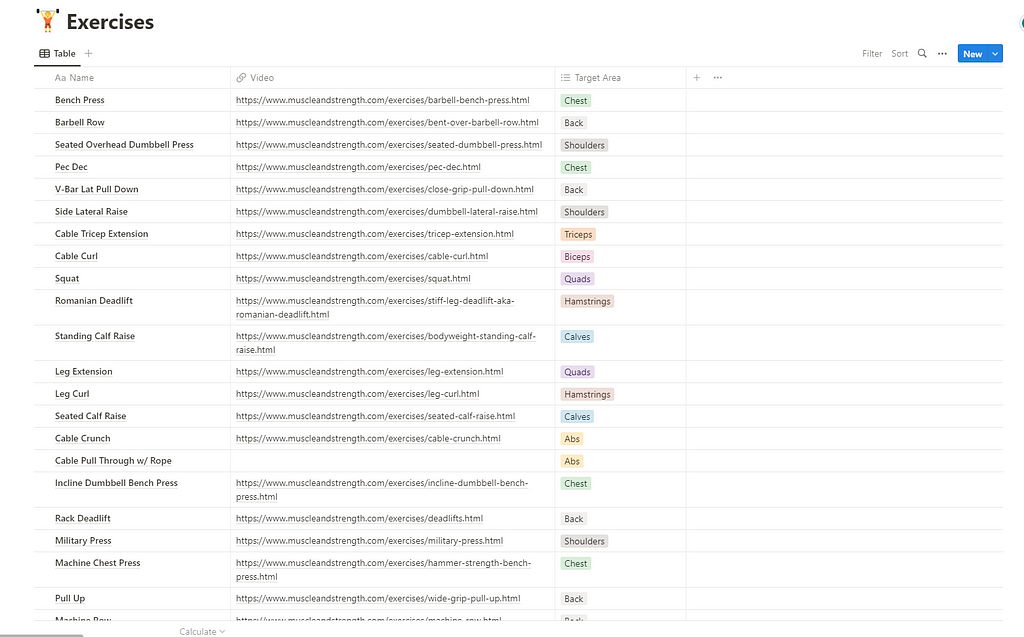
This database stores a list of all possible exercises I could do. The information for each exercise are:
- Name — This name should be memorable as you reference this in multiple other spots.
- Video Link — This can be helpful if you haven’t done an exercise before or need a refresher.
- Target Area — The muscle groups that are primarily targeted by the exercise.
Routines Database
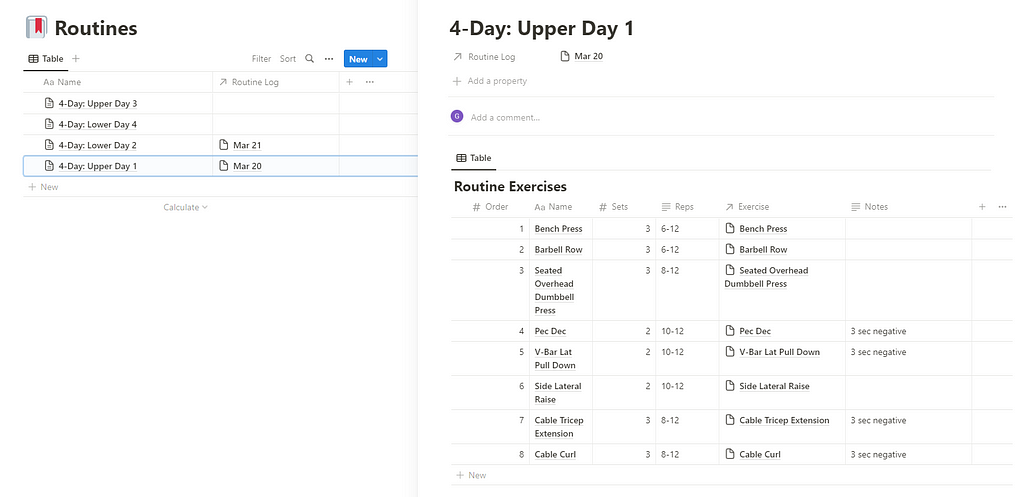
This database stores the lists of all the possible routines I can do and a table with all of the exercises that are part of the routine. The exercises in the routine need to specify:
- order — used to maintain chronological order in table views.
- name — Name of the exercise.
- sets
- reps — This is a range of the possible reps for the exercise in the routine. You don’t need to use a range if your exercise protocol calls for a specific rep count. If it is a time-based set I just put the time instead.
- exercise — This is a link to the exercise in the exercise database so you can access more information about it.
- notes — miscellaneous notes about the exercise for the routine.
Routine Log Database
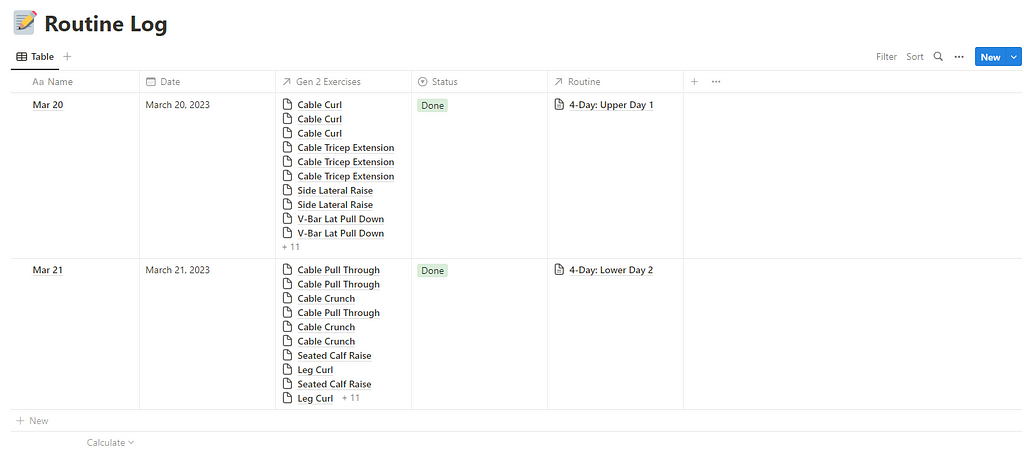
This is where I keep track of all of my workouts. Every time I work out I create an entry in this database. This contains information about:
- name
- date
- exercises — link to all exercises from the exercise log. These are the individual exercises with information about your set, rep, and weight.
- status — I use created, ready, in progress, and done. I will explain the difference between created and ready in the automation section below.
- routine — Link to the routine program I am following for the day.
Exercise Log Database
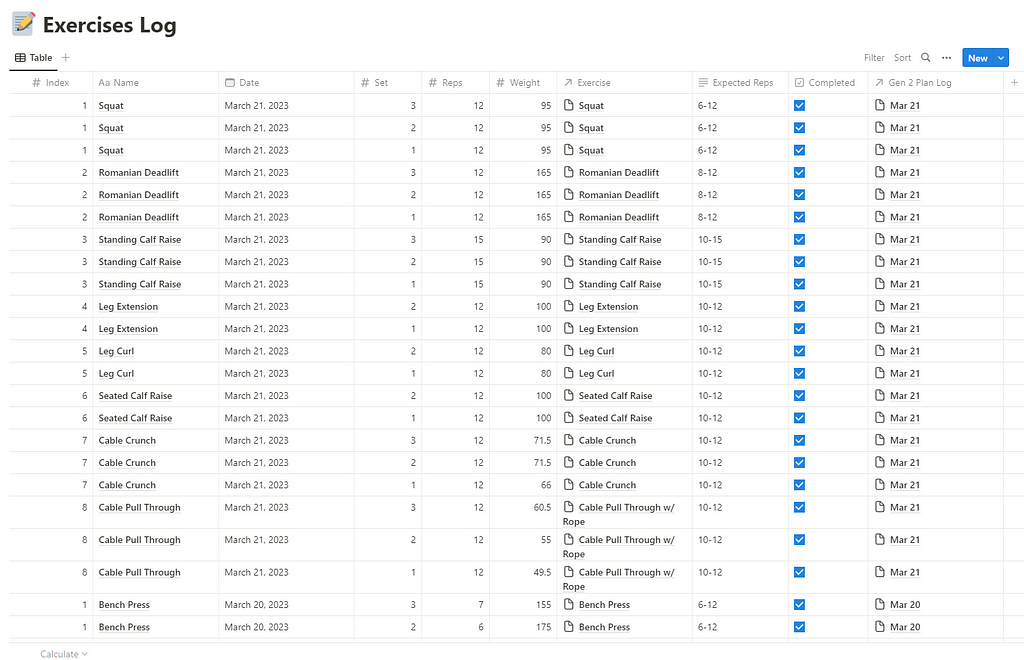
This is the most important table for me! It keeps track of every set that I do for an exercise. I can use this to track progress and help make decisions for weight and reps during my current workout. I track:
- index — order of the exercise for the routine. I mainly use this to help keep order when looking at the table during a workout.
- name
- date
- set
- rep
- weight
- link to exercise
- expected reps — This is copied over from the routine so I can see if I hit the expected protocol.
- completed — This marks when I have completed an exercise. They are all created before I start a workout and check them off as I go.
- link to exercise log
Dashboard
This dashboard is the main page I view when working out. I can use it to create a workout, add information about exercises, and look at the past reps and weight of a previous lift. My workout flow is:
- Create a workout in the routine log section with a linked plan.
- Set the status to created. This allows the automation described next to create all the exercises for a routine. If you do not have the automation, you have to manually create each exercise log entry.
- Enter data in the exercise section as I go through the workout and use the individual exercise tab to look at past performances for certain exercises.
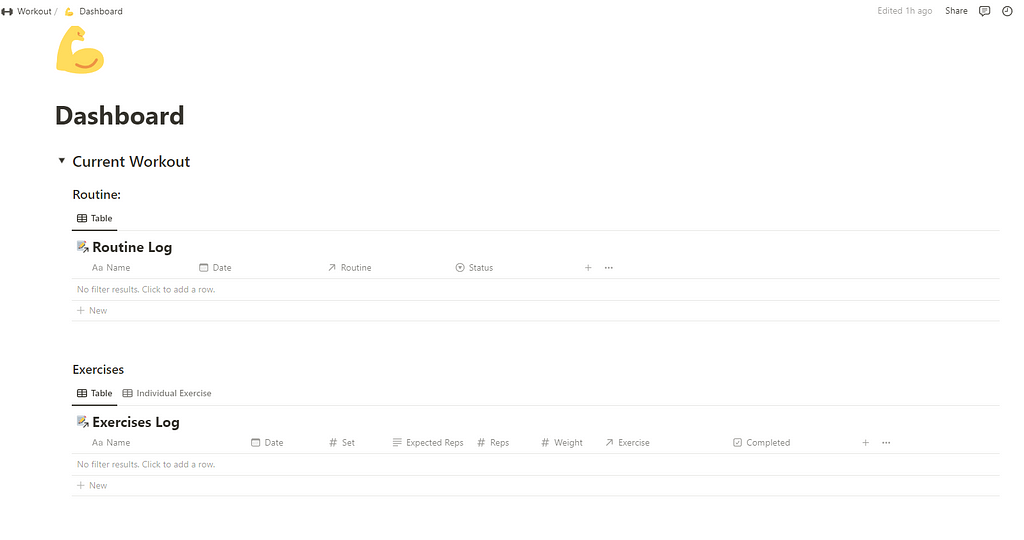
Automation
I was pretty happy with the original setup, but I found that adding each exercise to the exercise log for a routine before every workout became very time-consuming. I had just created a software service that syncs my WHOOP data to Notion, more information here, so I wanted to automate this process. Here is how I did it:
There are a couple of key things in my setup that allowed me to do this:
- Adding a table of all exercises in the routine definition
- creating a status section for the routine log
With this setup, I created a script using Python and the Notion API to check for any routines in the routine log with a created status. If it finds any entries, it grabs the data from the linked routine and creates all the exercises in the exercise log. Once this is done, it sets the routine log entry to ready status.
I didn’t want to have this run script manually, so I created an AWS lambda that would run every 5 minutes and check the table for new routines. I then used terraform to deploy the code, and voila, I can now add a routine to the routine log and within 5 minutes, all the exercises are created and the routine is set to ready. If you are interested in the code, I have uploaded the source code to GitHub here.
Conclusion
I really enjoyed taking the tools I have and creating something that adds value to my life. I know there are a lot of workout apps out there, but I found it so fulfilling to create my own implementation of it and maintain full control over my system!
If you are interested in creating a solution like this tailored to your needs, I can help out at gw3tech.com.